Wednesday, October 30, 2024

Digital security. First problem

PROBLEM

 The problem is that my telephone has a type of malicious software that makes me believe that my cell has a virus. Sometimes, it will fool me into believing that my security measures are old. In turn, they offer new updates for my security settings. 


DESCRIPTION OF THE PROBLEM.

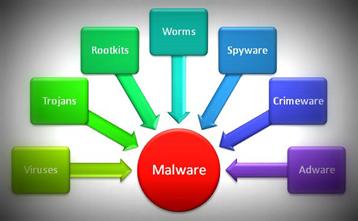
Any malicious program or code that damages systems is referred to as malware, or "malicious software," in general.

Malware, which is hostile, invasive, and purposefully unpleasant, aims to infiltrate, harm, or disable computers, computer systems, networks, tablets, and mobile devices. It frequently takes over some or all of a device's functionality. It disrupts regular functioning, just like the human illness does.

The malware has a variety of causes. The infection may be designed to make money off of the user, interfere with their work, express political views, or just be ostentatious. Malware can steal, encrypt, or erase your data, change, or take over a basic computer, but it cannot harm the actual hardware of systems or network equipment may steal, encrypt, or erase their data, change or conceal the computer's fundamental functions, and spy on their information activities without their knowledge or consent.

Here you can find more information.

Link of a video


SOLUTIONS OR POSIBLE SOLUTIONS

In my opinion, the best solution is go to a center of mobile phones and repair

Other solution is restaure the mobile

Also you can put an antivirus to prevent this things 

Maybe you can buy and other mobile if you have money, but it is not the best option

To prevent this you can be more careful in the pages that you enter


Clic here to vote the best tip 👇

Wednesday, October 16, 2024

Conclusion of the total price

Motherboard: 104,18 € 

Case: 79,00 € 

CPU: 184,00 €

Memory RAM: 60,10 €

Storage device: 509,95 €

Power supply: 15,98 €

Monitor: 224,99€

Graphic card: 232,78 €


TOTAL PRICE: 1410.98

Build an own computer

 IMPORTANT COMPONENTS OF A COMPUTER

1. Motherboard

The motherboard is the main circuit board that connects all of your hardware components, power supply and graphics cards together. It is the most important component to consider when building a computer.

2. Case 

The computer case is what makes work the motherboard. Itself can be constructed from any material that still allows the internal devices to be supported.

3. Central processing unit (CPU)

The logic circuitry that reacts to and interprets the fundamental commands that power a computer is called a processor (CPU). Since it interprets the majority of computer commands, the CPU is regarded as the primary and most important integrated circuits (IC) chip in a computer.

4.  Memory RAM

RAM memory is the main memory of a device, the one where the data of the programs you are using at the moment is temporarily stored.

5. Storage device 

The storage unit is a part of the computer system that is used to store the information and instructions to be processed. A storage device is an integral part of computer hardware that stores information/data to process the result of any computational work.

6. Power supply

 A power supply is used to convert mains current into a form of energy suitable for the components of an electronic device or system.

7.  Monitor

 The monitor or screen is an output device that allows us to view through an interface both the information entered by the user and the information returned after being processed by the computer.

8. Graphic card

 A graphics card, also known as a video card or graphics processing unit (GPU), is a hardware component responsible for rendering and displaying images, videos, and animations on your computer monitor.


TOTAL PRICE


Graphic card

 A graphics card, also known as a video card or graphics processing unit (GPU), is a hardware component responsible for rendering and displaying images, videos, and animations on your computer monitor.

You need a dedicated GPU for graphics-intensive gaming, editing video, and mining Bitcoin. However, for more general purpose use, such as web browsing, most work-from-home jobs, and more basic gaming, you can get by with CPUs with integrated graphics.

GPUs are the ideal choice for general-purpose parallel processing, but historically this was not always the case. As the name suggests, GPUs were initially designed for one specific task: controlling image display.


Tuesday, October 15, 2024

Monitor

 The monitor or screen is an output device that allows us to view through an interface both the information entered by the user and the information returned after being processed by the computer.

Any PC that you want to interact with needs a display device such as a monitor, to be able to see what’s going on. Monitors come in all kinds of sizes, colors, resolutions, aspect ratios, and so on.


A popular modern Display usually is a 24” or 27″ Full HD / 4K Monitor from Brands such as Asus, Dell, LG, BenQ, Samsung, and many others.


If you are looking for a Gaming monitor, you might not need IPS-type Panels but rather a TN Panel Display with better color display and contrast.

If you are into visually-demanding workloads such as Graphic Design and professional Color grading or Video Editing, you should invest more money into a good Monitor.


The Monitor is attached to either the discrete GPU or the Motherboard’s display connector, depending on what type of GPU you have.


Power supply

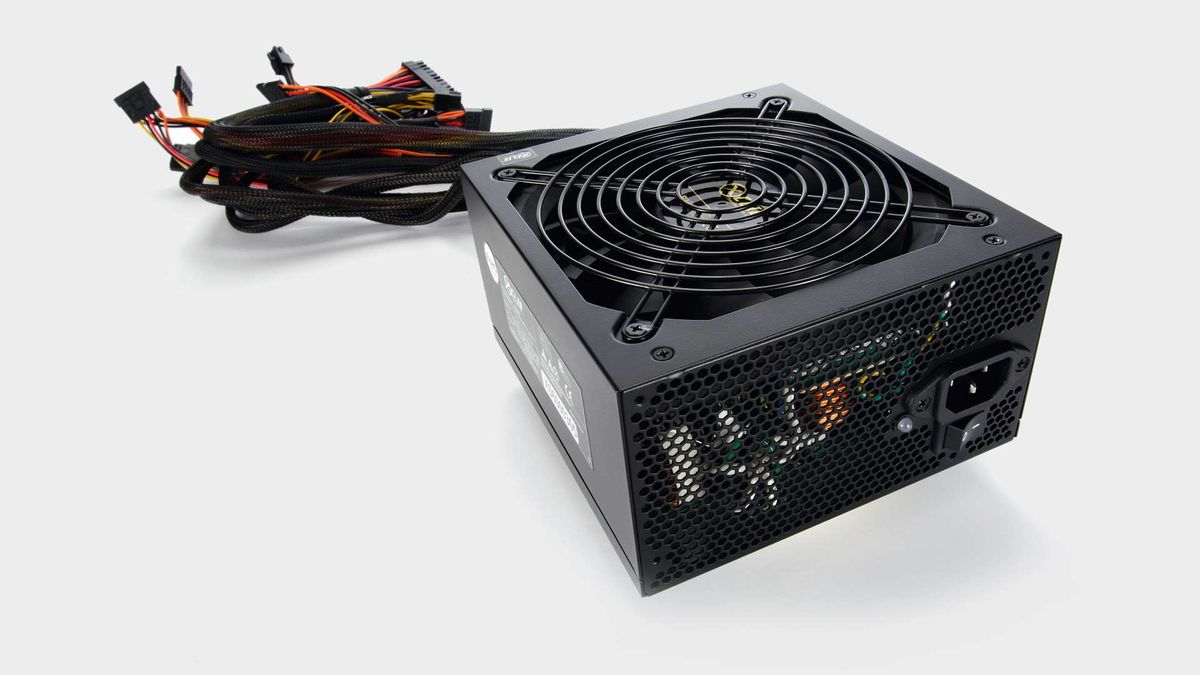
 A power supply is used to convert mains current into a form of energy suitable for the components of an electronic device or system.

We went through many of the most important PC Components already, but your PC won’t work without a power supply to supply the PC with power.


There are so many PSU brands, PSU tiers, and efficiencies with different wattages out there that it can be quite difficult to decide which one to buy.


The important thing is to know how much wattage your current PC Build will need to run stable and possibly how much you will need in the future if you are planning on adding more components, like extra or stronger GPUs or Storage Drives. 

We recommend buying a stronger power supply that will later also be able to handle any upgrades.


If you are unsure of how much wattage your current or future PC Build actually needs head on over to the Wattage Calculator here that tells you exactly how much you need.


Some great Power Supplies that I can recommend without hesitation are the CORSAIR RMX Series RM650x and the Seasonic FOCUS Plus 650 Gold PSUs. beQuiet is another high-quality PSU Brand, but there might be others you prefer. 


Storage device

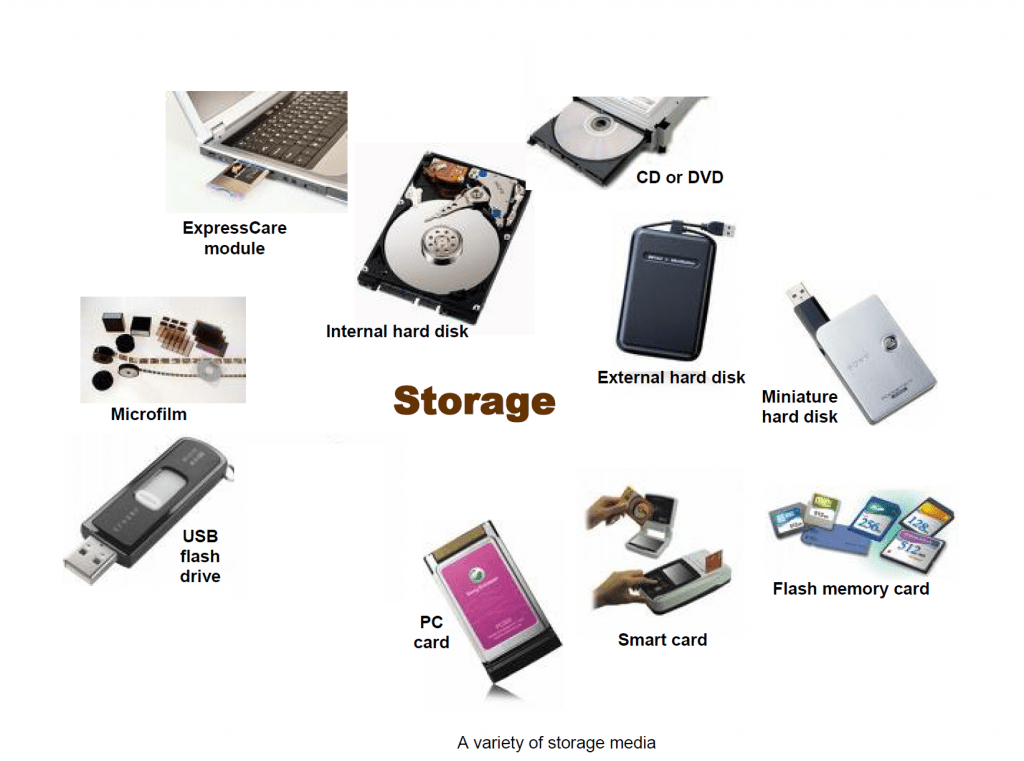
 The storage unit is a part of the computer system that is used to store the information and instructions to be processed. A storage device is an integral part of computer hardware that stores information/data to process the result of any computational work. Without a storage device, a computer would not be able to function or even boot. Or in other words, we can say that a storage device is a hardware that is used to store, transfer or extract data files. It can also store information/data both temporarily and permanently.

We need a storage device because RAM can’t store anything without power and we do want to be able to turn off our computer from time to time, we need a storage medium that retains its stored data, even without electricity.

There are two types

1. Portable HDDs

2. USB flash drivers


An HDD (which still has mechanically moving parts) is the slowest of the three and will usually read and save Data at about 100 MByte/s.


An SSD will already read and write at around 500 MByte/s, and an NVMe SSD currently reads and writes sequential Data with up to 10000 MBytes/s. 


Both HDDs and SSDs are plugged into a SATA connector on your motherboard via a SATA Cable. They also need Power that they get through a SATA Power Cable from the PSU (Power Supply Unit, I’ll talk about that later!)