Exercise 69:
1º version:

2º version:

3º version:

Exercise 70

Original

Final

DESCRIPTION: I've removed two stones from below and I change the pespective
41.- Think you want to print out a photograph with a size of DIN A4: 210 × 297 mm maintaining a printing quality of 200 dpi. Which resolution would the image need?
Is enough with 1654x2338 pixels
42.- Which resolution would the same picture need to have a 300 dpi picture?
This means if an image is 10 inches in width by 10 inches in height at 300 DPI, your pixel dimensions need to be 3000px x 3000px. In other words, you need to multiply the print size by 300 to find the right pixel dimensions (e.g. 3000px x 3000px) to provide 300 DPI.
PROBLEM
My brother always uses public conections, like public libraries or cultural centers, to do his online works. He has an important job and manage sensible information about clients and business. I think this is not a good idea to use public wi-fi connections.
PROBLEMS OF USE PUBLIC CONNECTIONS
Unencrypted networks
Many public Wi-Fi hotspots are unencrypted networks that transmit data in plain text, making it vulnerable to cybercriminals with the right tools. Hackers on the same network can intercept your online activities, including banking information, login credentials, and personal messages.
Malicious hotspots
Malicious hotspots, or rogue access points, are deceptive networks that trick users into connecting by mimicking legitimate Wi-Fi names. For instance, if you were staying at the Goodnight Inn and wanted to connect to the hotel’s Wi-Fi, you might mistakenly select “GoodNight Inn” (with a capital N) instead of the correct network. By doing so, you risk connecting to an “evil twin” network set up by cybercriminals to access your internet traffic.
Man-in-the-middle attacks
A man-in-the-middle attack is a cyberattack where an intruder secretly positions themselves between two communicating parties, such as a user and an application. This allows them to intercept, eavesdrop on, or manipulate communications.
On unsecured public Wi-Fi networks, attackers can capture data packets more easily, potentially giving them full access to sensitive information like login credentials, credit card numbers, or personal messages. In the case of session hijacking, they may also alter the data, leading to fraudulent activities or data breaches.
Here you can find more information
TYPES TO PREVENT USE PUBLIC CONNECTIONS
Disable auto Wi-Fi connect. If your phone automatically joins surrounding networks, you can disable this function in your settings. Avoid linking to unknown or unrecognized networks.
Turn off Wi-Fi when done. Your computer or phone can still transmit data even when you are not using it. Be sure to disable your Wi-Fi from the network when you are finished using it.
Avoid financial transactions. If you must use public Wi-Fi, don’t conduct a sensitive transaction such as banking, shopping, or any kind of activity that requires your social security or credit card numbers or password use. Wait until you get to a secured home network to conduct personal business.
Look for the HTTPS. Fake or unsecured websites will not have the HTTPS in their address. Also, look for the little lock icon in the address bar to confirm a secure connection.
Secure your devices. Use a personal VPN as an extra layer of security against hackers and malware.
Clic here to vote the best tip 👇
PROBLEM
The problem is that my telephone has a type of malicious software that makes me believe that my cell has a virus. Sometimes, it will fool me into believing that my security measures are old. In turn, they offer new updates for my security settings.
DESCRIPTION OF THE PROBLEM.
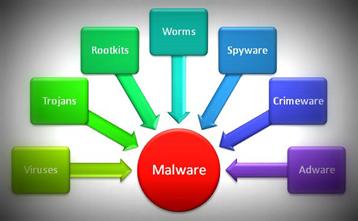
Any malicious program or code that damages systems is referred to as malware, or "malicious software," in general.
Malware, which is hostile, invasive, and purposefully unpleasant, aims to infiltrate, harm, or disable computers, computer systems, networks, tablets, and mobile devices. It frequently takes over some or all of a device's functionality. It disrupts regular functioning, just like the human illness does.
The malware has a variety of causes. The infection may be designed to make money off of the user, interfere with their work, express political views, or just be ostentatious. Malware can steal, encrypt, or erase your data, change, or take over a basic computer, but it cannot harm the actual hardware of systems or network equipment may steal, encrypt, or erase their data, change or conceal the computer's fundamental functions, and spy on their information activities without their knowledge or consent.
Here you can find more information.
SOLUTIONS OR POSIBLE SOLUTIONS
In my opinion, the best solution is go to a center of mobile phones and repair
Other solution is restaure the mobile
Also you can put an antivirus to prevent this things
Maybe you can buy and other mobile if you have money, but it is not the best option
To prevent this you can be more careful in the pages that you enter
Clic here to vote the best tip 👇


.png)


.png)